
Why a Checklist Beats Spec-Sheet Shopping
Phone marketing is engineered to make every new model sound essential. Camera megapixels, chipset names, and refresh-rate numbers fill the ads - but most of those figures mean little without context tied to how you actually use your phone each day.
The smarter starting point isn't the spec sheet. It's your own habits. Do you stream video on the go, or mostly on Wi-Fi at home? Do you take hundreds of photos a week, or a handful? Is your current phone frustratingly slow, or does it just feel old because a new one launched?
This checklist walks you through those questions in a structured order so you can separate genuine needs from marketing-driven wants. For a broader framework that applies to any significant purchase, see our needs, wants, and nice-to-haves guide - the same logic applies here.
Assess Your Current Phone First
Define Your Real Usage Patterns
Evaluate Key Specs Against Your Needs
Understand the Full Cost
What to Have Ready Before You Start
To move through this checklist efficiently, gather a few things in advance. Having your current phone in hand - and access to its settings - will help you answer questions about storage, battery health, and software version accurately rather than guessing.
Your current phone
Check battery health, storage usage, software version, and current performance issues directly in settings.
Pen and notepad (or notes app)
Record your usage priorities and answers to checklist questions so you can compare options objectively later.
Your most recent carrier bill
Confirm your current data plan and check whether any financing balance remains on your current device.
Trade-in estimator tool (carrier or retailer website)
Get a realistic estimate of your current phone's trade-in value before making a purchase decision.
Once you have these handy, work through each checklist group in order. The first two groups are the most important: they tell you whether you need a new phone at all, and if so, which specs deserve your attention. The later groups cover cost and logistics so you're not surprised after the fact.
Trade-In Values Drop Quickly After Announcements
Trade-in values for older phone models often drop noticeably within days of a new model announcement, even if your device is in perfect condition. If you're planning to trade in, get an estimate early and understand the window during which any quoted value is guaranteed. Carrier and retailer trade-in policies vary significantly, so read the terms before handing over your device.
Understanding Storage and Long-Term Software Support
Two factors that consistently frustrate phone owners - and that are easy to overlook during the buying decision - are storage and software longevity.
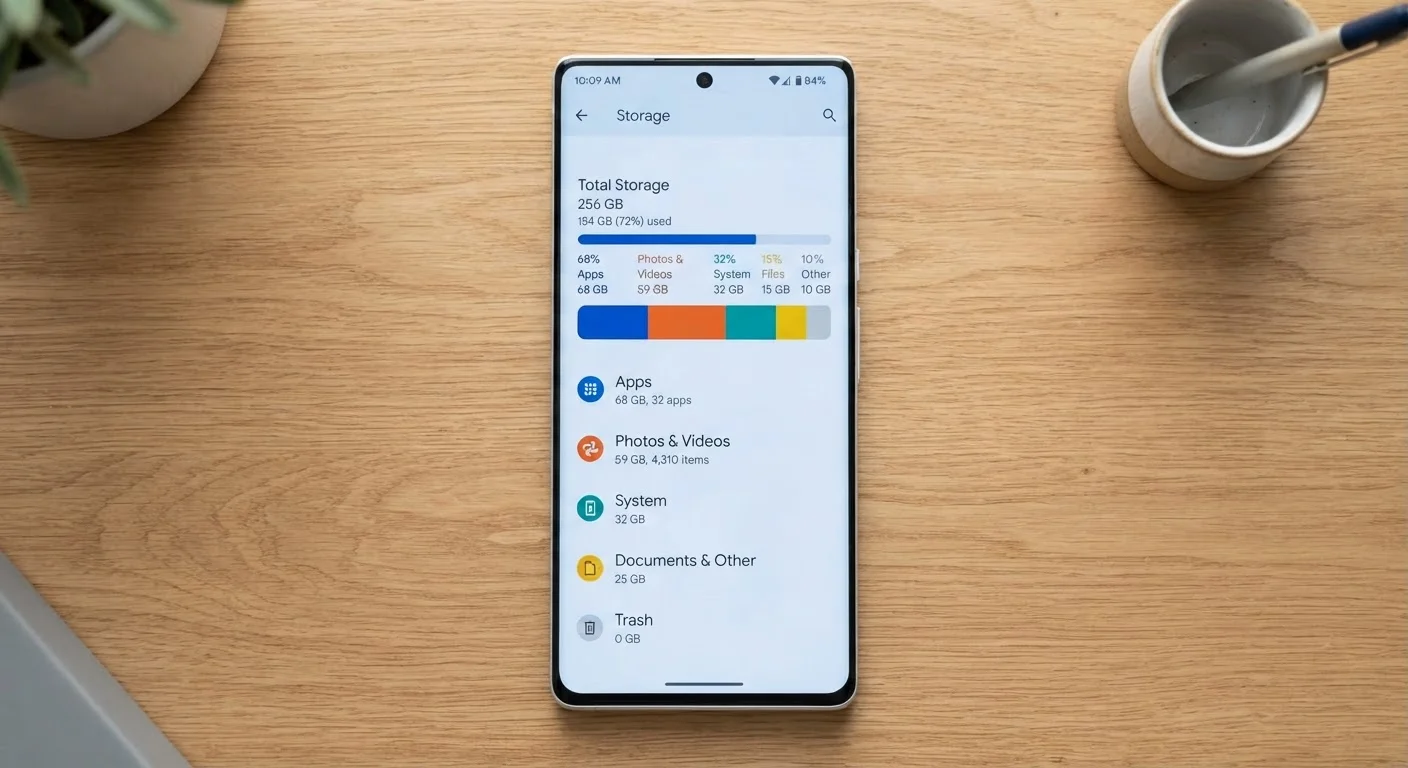
Storage fills up faster than most people anticipate. Apps, offline maps, downloaded podcasts, and especially photos quietly consume space over time. Our guide to phone storage breaks down what actually eats your gigabytes and how to plan realistically for your usage pattern.
Software support is equally important. A phone that stops receiving operating system updates typically becomes less secure and may lose compatibility with apps within a year or two of losing support - regardless of how capable the hardware still is. Before committing, check how many years of guaranteed software updates the manufacturer has publicly committed to for any model you're considering.
Software Support Determines Real Longevity
A phone that no longer receives operating system security updates is a security liability, regardless of how well it still performs. Before purchasing, verify the manufacturer's stated support commitment for the specific model you're considering - not just the brand's general reputation. If a support timeline isn't publicly documented, treat that as a significant factor in your decision.