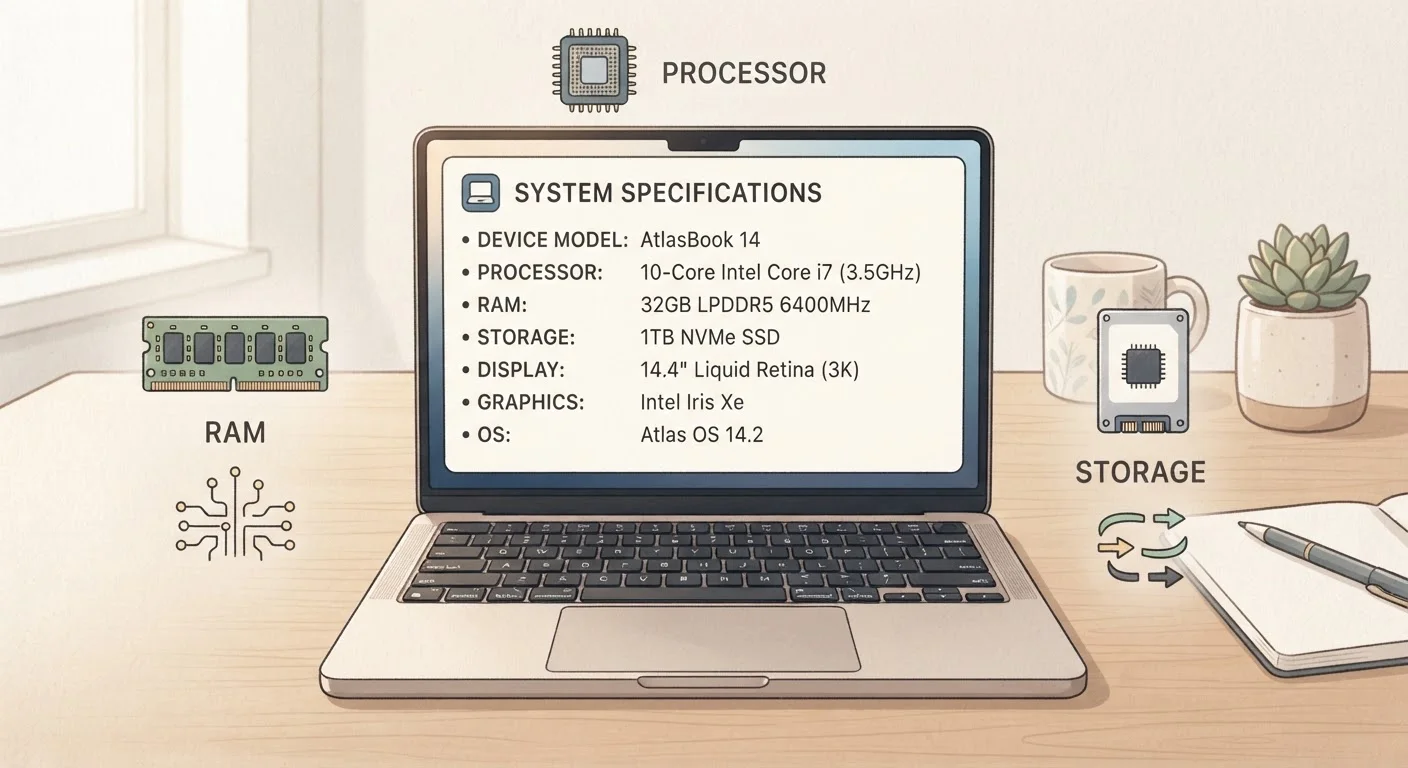

Why Electronics Jargon Feels Overwhelming
Walk into any electronics aisle or scroll through a product listing and you'll encounter a wall of acronyms: OLED, NVMe, Wi-Fi 6E, USB4, HDR10+. Manufacturers assume you already know what these mean. Most people don't - and that's not a knowledge gap to be ashamed of. It's a marketing problem.
This glossary is organized by category so you can quickly look up the terms that matter for whatever you're shopping for - whether that's a new TV, laptop, router, or smartphone. For a deeper dive into how display specs translate to picture quality in your living room, see our TV resolution explainer. And if you're also puzzling over smart home terms, the Smart Home Glossary covers that territory separately.
4K / UHD
A display resolution of approximately 3,840 × 2,160 pixels, delivering four times the detail of 1080p HD. Standard on most mid-range and higher TVs today.
HDR
High Dynamic Range. A display technology that extends the contrast between the darkest and brightest parts of an image. Multiple formats exist (HDR10, Dolby Vision, HDR10+), and content must match your display's format for full effect.
OLED
Organic Light-Emitting Diode. A display technology where each pixel emits its own light and can turn off individually, achieving true black levels and high contrast ratios.
Wi-Fi 6E
An extension of the Wi-Fi 6 standard that adds access to the 6 GHz frequency band, reducing congestion in busy wireless environments. Best suited for high-bandwidth use in close proximity to the router.
USB-C
A reversible USB connector format used for charging, data transfer, and video output. The shape is standardized, but the underlying speed and capability depend on the specific USB or Thunderbolt standard used.
NVMe
Non-Volatile Memory Express. A high-speed interface used by modern SSDs to transfer data much faster than older SATA-based storage. Common in current laptops and desktops.
ANC
Active Noise Cancellation. A feature in headphones and earbuds that uses microphones to detect ambient sound, then generates an opposing audio signal to reduce it. Most effective against steady, low-frequency noise.
GaN Charger
A power adapter built using gallium nitride semiconductors. Delivers equivalent or greater wattage than traditional chargers in a smaller, more heat-efficient form factor.
Refresh Rate
Measured in hertz (Hz), this indicates how many times per second a display redraws its image. Higher refresh rates (120Hz vs. 60Hz) produce smoother motion, especially noticeable in gaming and sports content.
Codec (Audio)
A format for encoding and decoding wireless audio signals between a source device and headphones. Common Bluetooth codecs include SBC, AAC, aptX, and LDAC; both devices must support the same codec for it to be used.
USB Power Delivery
A charging standard that allows USB-C cables and chargers to negotiate appropriate voltage and wattage for different devices. Enables a single charger to safely power laptops, tablets, and phones.
Signal-to-Noise Ratio
A measurement in decibels (dB) of how much background noise exists relative to the intended audio signal. Higher values indicate cleaner, less hissy audio reproduction.
Display & Picture Quality Terms
These terms appear most often on TV and monitor listings. Understanding them helps you judge whether a spec upgrade will actually look different on your wall.
| 4K pixel count | ~8.3 million pixels (3,840 × 2,160 resolution standard) |
| Standard HDR formats | HDR10, Dolby Vision, HDR10+, HLG |
| OLED vs. QLED | OLED: per-pixel light; QLED: backlit with quantum dots |
| Common refresh rates | 60Hz (standard), 120Hz (smooth), 144Hz+ (gaming) |
| Brightness threshold for HDR | Typically 400-1,000+ nits |
| HDMI 2.1 max bandwidth | 48 Gbps (HDMI Forum specification) |
- 4K / UHD: A screen resolution of approximately 3,840 × 2,160 pixels - four times the detail of standard 1080p HD.
- HDR (High Dynamic Range): A technology that expands the range between the darkest blacks and brightest whites on screen. HDR10, Dolby Vision, and HDR10+ are different formats - content must support the same format as your TV for full benefit.
- OLED: A display type where each pixel produces its own light and can switch off completely, delivering true black and high contrast. Consumes less power than traditional LED-backlit screens for darker content.
- QLED: A marketing term (primarily used by Samsung) describing an LED-backlit display enhanced with a quantum dot filter for improved color range. Not the same as OLED; backlight still exists.
- Refresh Rate (Hz): How many times per second the screen redraws its image. 60Hz is standard; 120Hz produces noticeably smoother motion for sports and gaming.
- Nits: A unit measuring screen brightness. Higher nits (typically 1,000+) improve HDR performance and visibility in bright rooms.
Connectivity & Ports
Ports and wireless standards determine how your devices talk to each other. Choosing the wrong cable or router spec can quietly bottleneck performance.
USB-C Port Shape ≠ USB-C Speed
Many consumers assume all USB-C ports are equal because they look identical. In reality, a USB-C port might support USB 2.0 speeds (480 Mbps) or Thunderbolt 4 (40 Gbps) depending on the device. Always check the specific standard listed in the product's technical specifications, not just the port shape. Manufacturers are not required to label ports visually with their capability.
- HDMI 2.1: The current high-bandwidth HDMI standard, capable of transmitting 4K at 120Hz or 8K at 60Hz. Required for full-performance gaming on modern consoles.
- USB-C: A reversible connector shape used for charging, data transfer, and video output. The connector looks the same across devices, but underlying speed standards (USB 3.2, USB4, Thunderbolt 4) vary significantly - always check the spec, not just the port shape.
- Thunderbolt 4: Intel's premium cable standard using the USB-C connector. Supports up to 40 Gbps data transfer, dual 4K monitors, and fast charging. Common on laptops; requires Thunderbolt-certified cables for full speed.
- Wi-Fi 6 (802.11ax): The wireless standard released around 2019 that improves performance in crowded environments (many devices on one network) and increases efficiency to extend battery life on connected devices.
- Wi-Fi 6E: An extension of Wi-Fi 6 that adds the 6 GHz frequency band. Less congestion than 2.4 GHz or 5 GHz, but shorter range through walls. Best for high-bandwidth use close to the router.
- Bluetooth 5.x: The current generation of short-range wireless for audio, peripherals, and accessories. Key improvements over older versions include longer range and the ability to connect to two audio devices simultaneously (with supporting devices).
For a practical walkthrough of how laptop ports and specs affect everyday use, see Laptop Specs Decoded.
Performance & Storage Terms
These specs determine how fast a device runs, how much it holds, and how quickly data moves - three distinct things that product listings often blur together.
- RAM (Random Access Memory): Short-term working memory that keeps active apps and files instantly accessible. More RAM means more programs can run simultaneously without slowdown. 8 GB is a general baseline for most everyday laptop use; 16 GB is preferable for multitasking or creative work.
- SSD (Solid-State Drive): A storage type with no moving parts that reads and writes data far faster than older hard disk drives (HDDs). Responsible for quick boot times and snappy app launches.
- NVMe: A high-speed interface used by the fastest SSDs. Significantly quicker than the older SATA standard. Most modern laptops use NVMe by default.
- CPU (Processor): The central processing unit - the device's primary computational engine. Core count and clock speed (GHz) both matter, but architecture generation often matters more. A newer processor at a lower clock speed commonly outperforms an older one at higher GHz.
- GPU (Graphics Processing Unit): A dedicated chip for rendering images. Essential for gaming, video editing, and some AI tasks. Most everyday users get by with integrated graphics (built into the CPU) rather than a discrete GPU.
- Cache: An extremely fast, small memory layer built into the processor. Frequently used data is stored here to reduce lag. Higher cache generally means smoother multitasking.
Audio Terms
Audio specs are among the most misleadingly marketed in consumer electronics. Here's what the numbers and labels actually mean.
- Codec (Audio): A format used to encode and decode audio signals wirelessly. Common Bluetooth codecs include SBC (baseline), AAC (common on Apple devices), aptX, and LDAC (highest quality, used by Sony and others). Both your source device and headphones must support the same codec for it to engage.
- Active Noise Cancellation (ANC): A technology that uses microphones to sample ambient sound, then generates an opposing signal to cancel it out. Effective against low-frequency, consistent noise (airplane engines, HVAC). Less effective against sudden or high-pitched sounds.
- Frequency Response (Hz-kHz): The range of audio frequencies a speaker or headphone can reproduce. Human hearing spans roughly 20 Hz to 20,000 Hz. Wide frequency response numbers in marketing don't guarantee good sound - driver quality and tuning matter more.
- Dolby Atmos: A surround-sound format that adds height channels, creating a three-dimensional audio effect. Requires compatible content and audio hardware (soundbar, AV receiver, or supported headphones) to function.
- Signal-to-Noise Ratio (SNR): Measured in decibels (dB), this indicates how much background hiss exists relative to the audio signal. Higher SNR means cleaner sound. A figure above 90 dB is generally considered good for consumer audio.
40 Gbps
Thunderbolt 4 max data transfer speed
Thunderbolt 4 specification requires a minimum of 40 Gbps bidirectional throughput, enabling fast external storage and multi-display setups.
6 GHz
New frequency band added by Wi-Fi 6E
Wi-Fi 6E introduces the 6 GHz spectrum, significantly reducing channel congestion compared to 2.4 GHz and 5 GHz bands in dense device environments.
~5×
NVMe speed advantage over SATA SSD
NVMe SSDs typically deliver sequential read speeds several times faster than SATA-based SSDs, though real-world impact varies by workload.
Battery, Charging & Power Terms
Battery specs have their own vocabulary that manufacturers don't always explain clearly.
- mAh (Milliamp-Hours): A measure of battery capacity. Higher mAh generally means longer runtime, though screen size and processor efficiency also affect battery life significantly.
- Wattage (W) for Charging: Determines how quickly a charger can refill a battery. A 65W charger refills a laptop faster than a 45W one, provided the laptop supports higher wattage input. Charging a device with a lower-wattage charger than it supports is safe but slower.
- GaN Charger: A charger built with gallium nitride components instead of traditional silicon. GaN chargers deliver the same or higher wattage in a smaller, cooler-running package.
- USB Power Delivery (USB-PD): A universal charging standard that allows USB-C chargers to negotiate the correct voltage and wattage for a connected device. A USB-PD charger can often charge laptops, tablets, and phones with the same cable.
Smart home devices also draw on many of these connectivity and power standards - if you're building out a connected home, see Smart Home Technology, Explained for context on how these specs apply to connected devices. And if you're budgeting for new electronics, a solid grasp of your finances helps - the Essential Budgeting Terms glossary is a useful companion resource.
This glossary is for general informational and educational purposes. Specifications, standards, and terminology evolve; always verify current specs against manufacturer documentation before making purchasing decisions.