
Why Smart Home Jargon Feels So Overwhelming
Walk into any electronics section or browse a smart device listing and you'll encounter a wall of abbreviations: Matter, Zigbee, API, mesh networking, routines, scenes. For a beginner, the terminology alone can feel like a barrier. It doesn't have to be.
This glossary cuts through the noise by defining the 40 terms you'll encounter most often when researching, buying, or setting up connected home technology. Definitions are organized thematically so related concepts build on each other - not alphabetically, which is how glossaries can become just as confusing as the original jargon.
If you want to go further after learning the vocabulary, see our plain-language smart home explainer for a fuller picture of how these devices actually work together. And if some of these terms overlap with general electronics concepts, our consumer electronics glossary covers that adjacent territory.
Smart Home
A residence equipped with devices that can be monitored or controlled remotely, often automatically, through a network connection. The devices may respond to schedules, sensors, voice commands, or each other.
Hub
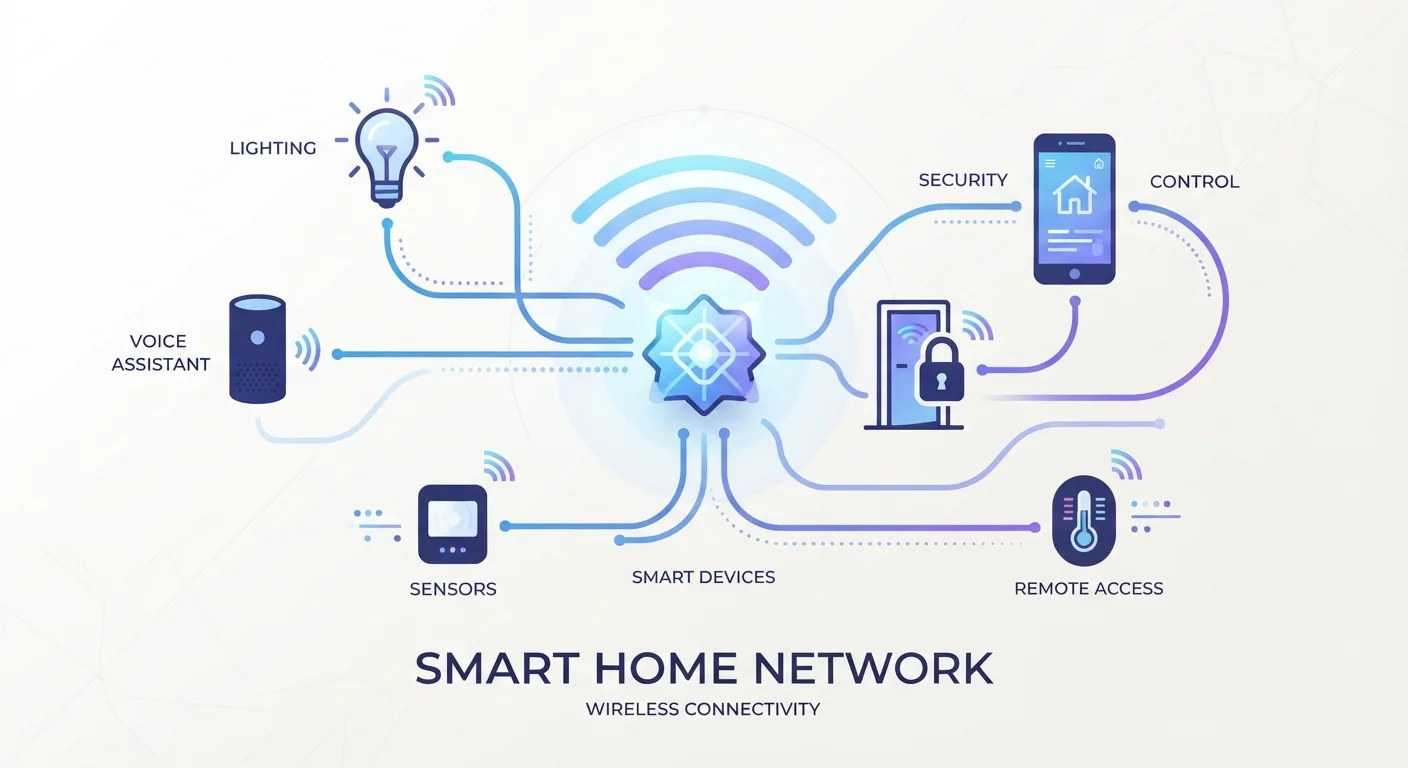
A central device or app that connects and coordinates multiple smart home devices, allowing them to communicate and be controlled from one place. Think of it as the command center of your setup.
Bridge
A device that translates between one wireless protocol (such as Zigbee) and your home's Wi-Fi network. It's narrower in function than a hub and usually supports only one device brand or protocol.
Protocol
The communication standard a device uses to send and receive signals. Common smart home protocols include Wi-Fi, Zigbee, Z-Wave, Thread, and Bluetooth. Devices on different protocols generally can't talk directly to each other without a bridge or hub.
Mesh Network
A Wi-Fi system that uses multiple nodes placed around a home to relay signals to each other, eliminating dead zones and providing more consistent coverage than a single router.
Automation
A pre-programmed rule that causes a device to act without manual input - for example, turning on porch lights at sunset. Automations are triggered by time, sensor data, or device states.
Routine
A grouped set of actions triggered by a single command or condition. Saying 'Good morning' to a voice assistant that then adjusts the thermostat, turns on lights, and plays music is an example of a routine.
Scene
A saved combination of device settings - lighting level, color, temperature - that can be activated instantly. Scenes are snapshots; routines are sequences of actions.
Voice Assistant
Software built into a speaker or device that interprets spoken commands and executes actions across connected devices. Common examples include Amazon Alexa, Google Assistant, and Apple Siri.
Matter
A cross-industry smart home standard designed so that devices from different manufacturers work together without compatibility workarounds. A Matter-certified device should work with any Matter-compatible hub or app.
Zigbee
A low-power wireless protocol widely used in smart lighting, sensors, and locks. Zigbee devices form a mesh network with each other but require a compatible hub to connect to Wi-Fi and app control.
Z-Wave
A wireless protocol similar in purpose to Zigbee but operating on a different radio frequency, which reduces interference from Wi-Fi. Popular in security and home automation devices.
Key Concepts: Networks, Protocols, and Connectivity
Most beginner confusion in smart home setup comes down to connectivity - specifically, why devices sometimes can't talk to each other. These terms explain the underlying infrastructure.
| Most common home protocol | Wi-Fi (2.4 GHz or 5 GHz) |
| Matter standard launched | October 2022 (Connectivity Standards Alliance) |
| Typical Zigbee range | 30-100 feet (line of sight) (Zigbee Alliance specification) |
| Z-Wave frequency (US) | 908.42 MHz |
| Thread: IP-based? | Yes - devices get individual IP addresses |
| Hub requirement | Depends on protocol - Wi-Fi devices often need no hub |
Hub vs. Bridge: A hub is a central device that coordinates communication between all your smart devices. A bridge is narrower - it translates between one specific protocol and your home network. Some devices combine both functions. Understanding which you need depends on which wireless protocols your devices use.
For a deeper look at how protocols like Wi-Fi, Zigbee, Z-Wave, and Thread differ in practice, see our protocol comparison guide.
Mesh networking is worth special mention: instead of every device connecting to a single router, mesh systems use multiple nodes that relay signals to each other. The result is broader, more consistent coverage - especially important in larger homes where a single router leaves dead zones.
Protocol Compatibility Is the #1 Setup Hurdle
The single biggest source of frustration for new smart home users is buying devices that use different protocols and then discovering they won't connect without additional hardware. Before purchasing any device, check which protocol it uses and whether your existing hub or router supports it. When in doubt, Wi-Fi-based devices are the most universally compatible option for beginners, though they can place heavier demands on your home network.
Once you're comfortable with these foundational terms, building and expanding a smart home setup becomes considerably less intimidating. Our complete automation guide walks through routines and advanced configurations step by step. And if you've heard claims that smart homes are only for tech experts, our smart home myths article addresses the most common misconceptions directly.
69%
U.S. homes with at least one smart device
According to Statista consumer electronics survey data reflecting recent years.
3+
Average smart devices per connected U.S. household
Industry research suggests multi-device adoption is now the norm rather than the exception.