What Refresh Rate Actually Means
Refresh rate measures how many times per second a TV redraws the image on screen, expressed in hertz (Hz). A 60Hz panel redraws 60 times per second; a 120Hz panel redraws 120 times. In theory, more redraws mean smoother motion - and for certain content, that holds true. But the spec printed on a box routinely obscures more than it reveals.
The first thing to understand is the difference between native refresh rate and effective or interpolated refresh rate. Many televisions advertise figures like 240Hz or even higher using proprietary marketing terms - but the panel inside may only natively refresh at 60Hz. The rest is achieved through software processing that manufactures in-between frames the camera never captured. That distinction matters enormously for what you actually see. See our guide to TV setup for tips on finding and adjusting these processing settings after you bring a TV home.
Common Myths - and What the Evidence Actually Shows
Consumers encounter a consistent set of misconceptions when shopping for televisions. The myth-and-fact breakdowns below address the ones that most directly affect buying decisions and everyday viewing satisfaction.
Myth
A 240Hz TV will make movies and TV shows look dramatically smoother and more cinematic.
Fact
Most movies and TV shows are shot at 24 frames per second. A higher panel refresh rate cannot add frames that don't exist in the source.
Film has used 24 frames per second as a standard for nearly a century, and most streaming drama and movies are delivered at that rate. A 240Hz panel refreshes rapidly, but when the incoming signal contains only 24 frames each second, the panel simply repeats or holds those frames - it does not conjure new visual information. What can change is how the TV's internal processor handles those repeated frames, which leads to the separate issue of motion interpolation discussed below.
Myth
The 'soap opera effect' is caused by high refresh rates.
Fact
The soap opera effect is caused by motion interpolation processing, not the panel's refresh rate itself - and it can be turned off.
Motion interpolation (often marketed under names like TruMotion, MotionFlow, or Auto Motion Plus) is a processing mode in which the TV's chip analyzes consecutive frames and generates artificial frames between them. This creates unnaturally smooth movement that many viewers find disorienting - particularly during films, where it strips away the slight motion blur that audiences associate with a cinematic look. The feature runs independently of whether the panel is 60Hz or 120Hz, and nearly every TV allows it to be disabled in the picture settings menu.
Myth
A TV marketed as '120Hz' is guaranteed to have a 120Hz native panel.
Fact
Many manufacturers use proprietary terms to advertise effective or interpolated rates that exceed the panel's actual native refresh rate.
Terms like "effective refresh rate," "motion rate," or brand-specific processing labels can legally describe a 60Hz panel as delivering a higher effective rate through backlight scanning or frame interpolation. The only way to confirm native panel refresh rate is to consult the technical specifications sheet, an independent lab review, or the manufacturer's detailed product page - not the headline marketing figure. This distinction directly affects gaming performance, where only a true native 120Hz panel can accept and display 120-frames-per-second game output.
Myth
Higher refresh rate always means less motion blur.
Fact
Motion blur on LCD panels is also determined by pixel response time and backlight technology, not refresh rate alone.
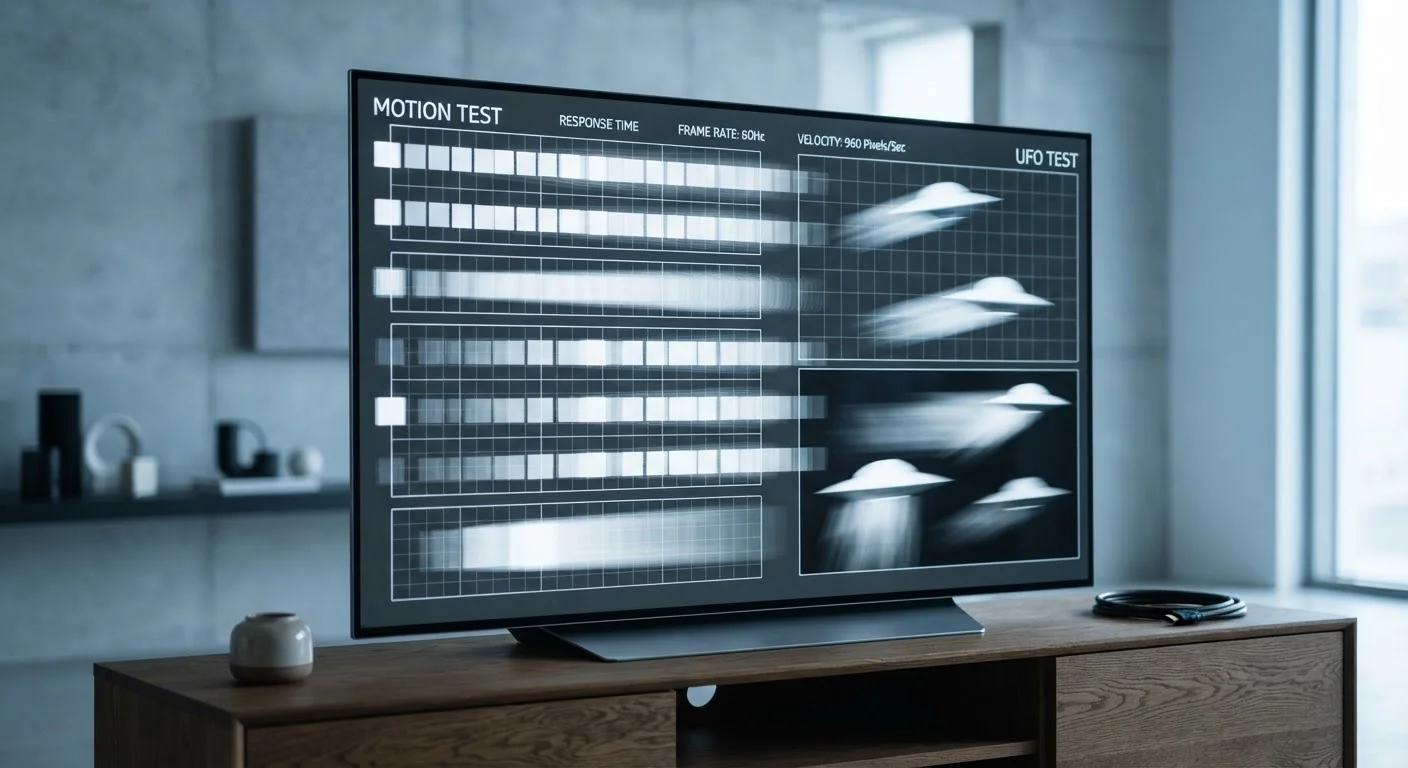
On LCD televisions, blur during motion occurs partly because individual pixels take time to transition between colors - a property called pixel response time, measured in milliseconds. A panel with a slow response time can exhibit blurring even at a high native refresh rate, while a display with fast pixel transitions and effective local dimming can look sharp at 60Hz. OLED panels, for instance, achieve extremely fast pixel response times that reduce motion blur in ways that rival or exceed many high-Hz LCD competitors.
Myth
Paying more for a higher-Hz TV is always worth it for better picture quality.
Fact
For most viewers watching typical content, panel quality, HDR implementation, and calibration deliver more visible improvements than a higher refresh rate.
Picture quality is the product of many variables working together: contrast ratio, color accuracy, peak brightness, local dimming zones, HDR tone mapping, and calibration. A mid-range television with excellent HDR performance and a well-tuned picture mode will typically look better for everyday viewing than a poorly calibrated high-Hz set watched at default settings. Spending on a higher refresh rate at the cost of a lower-quality panel or weaker HDR is frequently a net loss in perceived picture quality for the average viewer.
24 fps
Standard frame rate for most theatrical films
The film industry standardized 24 frames per second for motion pictures in the late 1920s, and the vast majority of cinematic content is still delivered at this rate.
60Hz
Native refresh rate of many marketed '120Hz' TVs
Independent display reviews consistently find that a significant share of televisions marketed with high effective refresh rates use native 60Hz panels with interpolation processing.
120 fps
Maximum output of current-generation gaming consoles
Both major current-generation gaming consoles support up to 120 frames per second output, making native 120Hz panels directly relevant for gaming use cases.
When Refresh Rate Genuinely Matters
There are two real-world scenarios where a true 120Hz native panel makes a meaningful, visible difference.
Gaming: Modern game consoles and PCs can output up to 120 frames per second. On a native 120Hz display, fast-paced games look noticeably smoother and respond more quickly to controller input - a measurable advantage in competitive play. On a 60Hz panel, those extra frames are simply discarded.
Live sports: Fast lateral motion - a sprinting receiver, a tennis serve, a sliding hockey puck - can blur on lower-refresh panels. A native 120Hz display reduces that blur without requiring the aggressive motion interpolation that causes the soap opera effect.
For everything else - scripted drama, documentaries, movies, and most streaming content - the source material itself is recorded at 24 or 30 frames per second. No amount of panel refresh rate changes how many frames exist in the source. This is why a 4K HDR picture can look stunning on a well-calibrated 60Hz display. Our TV resolution explainer covers how resolution and HDR interact with picture quality in ways refresh rate simply cannot.
Panel technology also plays a significant role. The contrast ratios and pixel response times of OLED and QLED panels affect perceived motion clarity independently of stated refresh rate - a point explored in depth in our OLED vs. QLED comparison.
Don't Disable All Motion Processing Blindly
While turning off aggressive motion interpolation is generally recommended for film viewing, some level of motion processing can reduce judder (a subtle stutter caused by 24fps content on 60Hz panels). Most TVs offer a middle setting that reduces the soap opera effect while managing judder. Experiment with your TV's specific options rather than switching everything off entirely.
Making a Smarter Decision
When evaluating a TV, ask the retailer or check independent reviews for the native panel refresh rate - not the marketed figure. If gaming or sports viewing is a priority, a confirmed native 120Hz panel is worth seeking out. For general streaming and movie watching, directing budget toward better panel quality, local dimming, and HDR performance will produce a more noticeable improvement than chasing a higher Hz number.
Also be aware that streaming services themselves impose their own constraints. Compression, bandwidth, and encoding all affect what reaches your screen - sometimes more than any display spec. Our article on why streaming looks worse than advertised explains exactly what happens between the server and your screen. Likewise, megapixel counts in smartphone cameras follow the same pattern: a single prominent spec number obscuring a far more complex reality.
The most useful habit any TV buyer can develop is to look past the headline number and ask what it actually reflects in practice. Refresh rate is a real technical specification - it just rarely tells the story manufacturers want you to believe it does.